
Summerlin Kids and Screen Time: How Screen Distance and Lighting Rules Protect Against Computer Vision Syndrome

Screens are part of everyday life for kids, whether they are completing homework, gaming, watching videos, or using a tablet. But long periods of close-up screen use can leave their eyes feeling tired and uncomfortable. For families in Summerlin, simple changes to screen distance, lighting, and viewing habits can help reduce the symptoms associated with computer vision syndrome.
What Is Computer Vision Syndrome?
Computer vision syndrome, also called digital eye strain, describes a group of eye and vision symptoms related to prolonged use of computers, tablets, phones, and other digital devices. Children may not always recognize or explain what they are feeling, so parents should pay attention to changes in their screen habits or comfort.
Common symptoms can include:
- Tired, sore, or irritated eyes
- Headaches after using digital devices
- Blurry or fluctuating vision
- Dry or burning eyes
- Difficulty refocusing after looking away from a screen
- Neck or shoulder discomfort
If these symptoms occur regularly, an eye exam can help determine whether screen habits, an uncorrected vision problem, or another eye condition is contributing.
Screen Distance Makes a Difference
Kids often bring tablets and phones very close to their faces, especially when they are focused on a game or video. This increases the amount of near focusing their eyes have to perform.
For desktop and laptop computers, a viewing distance of roughly 20 to 28 inches is generally recommended. The screen should also sit slightly below eye level. Parents can help by setting up a dedicated homework or gaming area where the screen position is easier to control.
For handheld devices, encourage children to avoid holding the screen directly in front of their face. Keeping a comfortable viewing distance reduces unnecessary visual demand and encourages better posture.
Pay Attention to Room Lighting and Glare
Screen brightness should work with the surrounding environment rather than compete with it. A bright screen in a dark room or strong light reflecting directly onto the display can
contribute to eye discomfort.
Position screens away from direct window glare and harsh overhead lighting whenever possible. Adjusting the brightness to a comfortable level and changing the angle of the device can also reduce reflections. A well-lit workspace with balanced lighting is typically more comfortable for longer periods of schoolwork.
Screen Habits Are Only Part of the Picture
Even with a well-designed screen setup, children still need regular opportunities to look away from close-up tasks and spend time doing activities that do not involve digital devices. Parents should also watch for squinting, sitting unusually close to screens, frequent headaches, or complaints that words become blurry.
These signs may point to more than digital eye strain. A comprehensive eye exam allows us to evaluate visual clarity, focusing ability, eye health, and other factors that could affect a child's comfort during screen use. TruVision Eyecare also offers myopia management services for children when progressive nearsightedness is a concern.
Protect Your Child's Vision Beyond the Screen
Healthy screen habits are helpful, but they do not replace routine professional eye care. If your child regularly experiences headaches, blurry vision, tired eyes, or discomfort after screen time, we can evaluate their vision and recommend appropriate next steps.
Schedule your child's eye exam with TruVision Eyecare in Las Vegas, NV at (702) 848-2785 to help keep their eyes comfortable and ready for school, screens, and everything in between.
Helpful Articles
article_category: products
article_category: psychiatry
article_category: faqs
article_category: cats
article_category: general
article_category: services
article_category: technology
article_category: dogs
article_category: restorative
article_category: vision therapy
article_category: contact lenses
article_category: health
article_category: conditions
article_category: eye surgery co-management
article_category: exotic
article_category: cosmetic
article_category: surgical procedures
article_category: aesthetics
article_category: preventative
article_category: ocular disease management
article_category: eyeglasses
article_category: eye health
article_category: large animal
[]
article_category: psychiatry
article_category: faqs
article_category: cats
article_category: general
article_category: services
article_category: technology
article_category: dogs
article_category: restorative
article_category: vision therapy
article_category: contact lenses
article_category: health
article_category: conditions
article_category: eye surgery co-management
article_category: exotic
article_category: cosmetic
article_category: surgical procedures
article_category: aesthetics
article_category: preventative
article_category: ocular disease management
article_category: eyeglasses
article_category: eye health
article_category: large animal
[]
Flowbite is an open-source library of interactive components built on top of Tailwind CSS including buttons, dropdowns, modals, navbars, and more.
Check out this guide to learn how to get started and start developing websites even faster with components on top of Tailwind CSS.
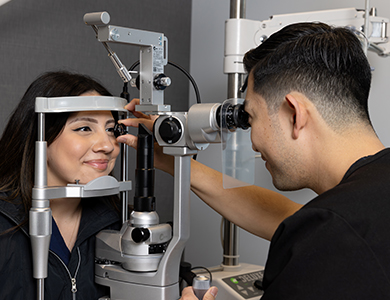
All Eye Care Services
Find personalized eye care excellence with our comprehensive services. From eye exams to advanced diagnostics, trust us for all your vision needs.
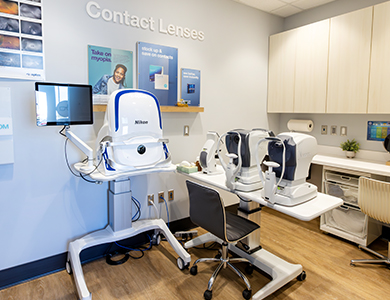
Keep In Touch
For non-urgent questions or to learn more about our services, contact us today!
Quick Links
Our Services
Contact Info
- 4155 South Grand Canyon Dr.
Las Vegas, NV 89147
(Entrance is outside of Target, directly to the right of the North entrance.) - Phone: (702) 848-2785
- Fax: (702) 848-2712
- Text: (360) 634-0372
Hours of Operation
- Monday 9:00am - 6:00pm
- Tuesday 9:00am - 6:00pm
- Wednesday 9:00am - 6:00pm
- Thursday Closed
- Friday 9:00am - 6:00pm
- Saturday 9:00am - 5:00pm
- Sunday Closed
- Monday
- Tuesday
- Wednesday
- Thursday
- Friday
- Saturday
- Sunday
- Monday
- Tuesday
- Wednesday
- Thursday
- Friday
- Saturday
- Sunday
© 2026 TruVision Eyecare. All rights Reserved -
Accessibility Statement
-
Privacy Policy
-
Sitemap
Managed and Designed by 